We may earn a commission when you buy through links on our deal pages, at no extra cost to you. It never changes which deals we post.
A laptop has to last. A student might carry it for four years of school, and a family laptop often ends up doing homework, taxes, video calls and photo storage all at once. Laptop listings are a wall of chip names and numbers, and Black Friday adds plenty of old models with big “was” prices. This guide explains how to choose a laptop in plain terms: Windows, Mac or Chromebook, the specs that matter, the 2026 models worth knowing and what a fair price is.
Quick answer: which laptop should you buy?
For most students and families, the best laptop is a Windows model with 16GB of memory and a 512GB SSD, or a MacBook Air with the M5 chip. On a tighter budget, the MacBook Neo is the cheapest Mac and a Chromebook Plus handles school and Google Docs. Skip 4GB memory, 64GB storage and Windows 10.
Laptop buying cheat sheet
- School, web and Google Docs: a Chromebook Plus
- All-round family laptop: Windows with Intel Core Ultra or AMD Ryzen, 16GB memory, 512GB SSD
- iPhone households: MacBook Neo on a budget, MacBook Air for the long haul
- Memory (RAM): 8GB is the minimum, 16GB is the sweet spot for Windows
- Storage: 256GB minimum, 512GB if you keep photos and games on it
- Skip: 4GB memory, 64GB storage, Windows 10, very old chips
1. Should I get Windows, Mac or a Chromebook?
Get Windows for the widest choice and software support, a Mac if your family uses iPhones and wants a laptop that lasts, and a Chromebook if you mostly work in a web browser. Here is how they compare.
- Windows: the widest choice of brands and prices, and it runs almost any program, including games and the software some colleges require. Quality varies a lot.
- Mac: easy to use, with long battery life, a great build and many years of updates. It works smoothly with an iPhone (AirDrop, messages, photos). The 2026 lineup is the MacBook Neo, the MacBook Air with the M5 chip in 13 and 15-inch sizes, and the MacBook Pro for heavy video and creative work. You can’t add memory or storage to a Mac later.
- Chromebook: runs ChromeOS, which is basically the Chrome browser plus Android apps. It is simple and fast on cheap hardware, which is why so many schools use them. It doesn’t run regular Windows or Mac programs, so check any software a class or job needs first.
2. Which laptop specs actually matter?
Memory, storage and the screen matter most. Aim for 16GB of RAM on Windows, at least 256GB of SSD storage and a Full HD screen.
Memory (RAM) decides how smooth the laptop feels with many browser tabs and apps open. 8GB is the minimum today. 16GB is the sweet spot for a Windows laptop you plan to keep for years, and it is also the minimum for Microsoft’s Copilot+ PC features. Many laptops can’t be upgraded later, so buy the memory you need on day one.
Storage should be an SSD. 256GB is the minimum, and 512GB is worth it if the laptop will hold photos, games or big school projects. Cloud storage helps, but it is a monthly cost.
Screen: look for at least Full HD (1920 x 1080). A 13 to 14-inch laptop is easy to carry to class, while 15 to 16 inches is nicer on a desk. An IPS or OLED panel beats the dim screens on the cheapest models.
Battery and ports: check battery life in reviews, and make sure a USB-C port charges the laptop.
3. Which laptop chips are current in 2026?
The current Windows chips are Intel Core Ultra (Series 3), AMD Ryzen AI 400 and Qualcomm Snapdragon X2, while Macs use Apple’s M5 or, in the MacBook Neo, the A18 Pro. Here is the short version.
- Intel Core Ultra (Series 3): Core Ultra 5 is plenty for school and family use, and Core Ultra 7 helps with heavier work.
- AMD Ryzen AI 400 series: strong on battery life and built-in graphics. Ryzen AI 5 or 7 covers most people.
- Qualcomm Snapdragon X2: these run Windows on ARM chips, like a phone. Battery life is excellent, but a few older programs, games, printer drivers and some school testing software may not work, so check first.
- Budget chips: Intel Core i3 or i5 and AMD Ryzen 3 or 5 are fine for basics. Be careful with Intel Celeron, Pentium and N-series chips paired with 4GB of memory. They feel slow fast.
Macs are simpler. The MacBook Neo pairs an iPhone-class A18 Pro with 8GB of memory, while the MacBook Air starts with the M5 and 16GB, the better long-term buy.
4. Is a Chromebook Plus worth it?
Yes, for most Chromebook buyers. The Chromebook Plus label guarantees a minimum level of hardware, which is a big step up from the cheapest models that still show up on sale.
Google’s Chromebook Plus models come with at least 8GB of memory and 128GB of storage, plus a Full HD screen. Compare that with the 4GB, 32GB Chromebooks that still get marked down every November.
Also check the update date. Under Google’s Auto Update policy, ChromeOS devices get 10 years of updates counted from the model’s platform release, not from the day you buy it. An old Chromebook on clearance may have only a few years left, so search the model name plus “Auto Update Expiration” first.
5. How can students save on a laptop?
Students can often save with education pricing from Apple, Microsoft, Dell, HP, Lenovo and Samsung. Compare that price with the Black Friday price, because sometimes the sale wins and sometimes the student deal does.
For example, Apple’s education store lists the MacBook Neo from $649 and the MacBook Air from $1,199, each $50 or more below the regular price. Black Friday sales at other stores can beat those numbers. Also check what the school asks for, since some programs require Windows or a set amount of storage.
6. What is a fair price?
A good deal on a mid-range Windows laptop with 16GB of memory and a 512GB SSD is under $600. These are typical price ranges in the US. Apple raised its Mac prices in June 2026, and prices change often, with Black Friday, back to school and Prime Day bringing the biggest drops.
| Level | Typical price | Laptops | Good deal |
|---|---|---|---|
| Chromebook | About $150 to $500 | Basic Chromebooks, Chromebook Plus models | Chromebook Plus under $300 |
| Budget Mac | $699 list | MacBook Neo (8GB, 256GB) | Under $600 |
| Mid-range Windows (best value) | About $500 to $900 | Core Ultra 5 or Ryzen AI 5, 16GB, 512GB SSD | Under $600 with 16GB and 512GB |
| MacBook Air | $1,299 and up (13-inch), $1,499 and up (15-inch) | MacBook Air M5 | 13-inch around $1,100 or less |
| Premium and gaming | About $1,000 and up | Snapdragon X2 Elite, Core Ultra 7, gaming laptops, MacBook Pro | $200 or more off the current model |
For example, we posted the 2026 MacBook Air 13-inch with M5 at $1,099 during Prime Big Deal Days, and the MacBook Air M3 at $899 back in July 2024. Check the exact memory and storage in any MacBook deal, since higher configurations have higher “was” prices.
If you buy at Best Buy, Amazon or another store whose gift cards are on sale, start with the gift card: buy it at a discount, then pay with it on top of the sale price. Our guide to stacking gift cards with Black Friday prices shows how, and the discounted gift cards page lists what is live.
7. Laptop deals live right now
We only post a laptop deal when the price is well below its usual price and the model is still worth buying, and this list updates on its own every few hours.
These are live right now (prices as of 11/16/26 4:21 PM ET; they change often, so check the final price before you buy):
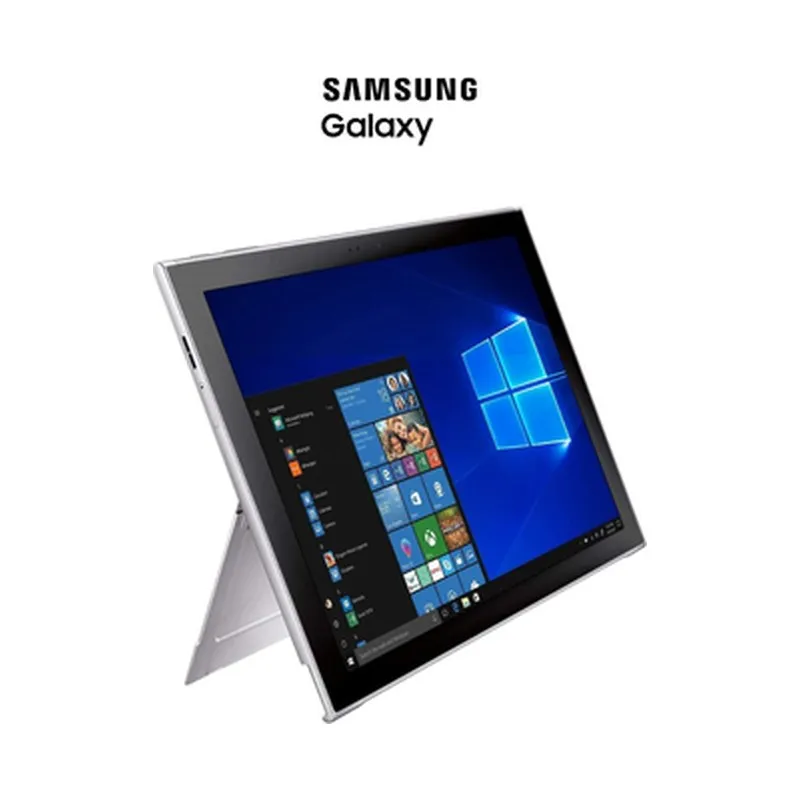
Samsung Galaxy Book2 128GB 4G LTE Touchscreen: 68% Off at UntilGone
$224.99 $699.99 up to 68% off
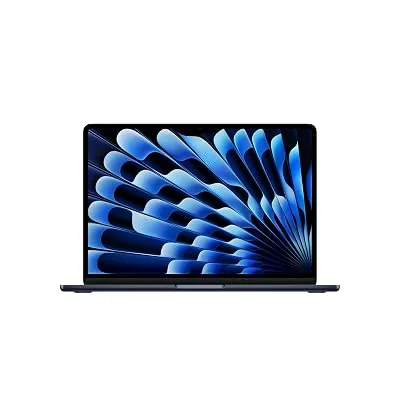
Apple 2026 MacBook Air 13-inch Laptop with M5 chip: Built for AI
$1,099.00 $1,299.00 up to 15% off
See all Electronics deals, or get new deals as they drop on WhatsApp and Telegram.
More: see all Electronics deals and Apple deals, read how to spot a fake Black Friday deal, compare with our tablet guide, or join our free alerts to hear about the next laptop sale.
Key takeaways
- Microsoft ended Windows 10 support on October 14, 2025, so a new laptop should ship with Windows 11.
- Chromebook Plus models have at least 8GB of memory and 128GB of storage.
- ChromeOS updates last 10 years from the model’s platform release, not from your purchase date.
- Apple raised Mac prices in June 2026: the MacBook Neo now lists at $699 and the 13-inch MacBook Air at $1,299.
Frequently asked questions
How much RAM does a laptop need?
A new laptop needs at least 8GB of RAM today. 16GB is the sweet spot for a Windows laptop you plan to keep for several years, and it is also what Microsoft requires for Copilot+ PC features. Most laptops can’t be upgraded later because the memory is soldered in, so buy enough at the start rather than hoping to add more.
Is a Chromebook good enough for school?
For most K-12 students and many college classes, yes. A Chromebook Plus handles Google Docs, web apps and video calls well, and it is simple and hard to break. Check first whether a class needs Windows or Mac software or a specific testing program, because Chromebooks can’t run regular desktop programs.
Should I get a MacBook Neo or a MacBook Air?
Get the MacBook Air if you plan to keep the laptop five years or more. It starts with 16GB of memory and the M5 chip, so it handles more apps at once. The MacBook Neo is the cheapest Mac, with 8GB of memory and the A18 Pro chip, and it is fine for school, web browsing and light work.
Are Snapdragon Windows laptops a good choice?
Snapdragon Windows laptops are a good choice for people who want long battery life and mostly use everyday apps. A few older programs, games, printer drivers and some school testing tools may not work on their ARM chips, though. Check the software you need, or ask the school, before you buy one.
Is Black Friday a good time to buy a laptop?
Yes, but it is also when stores push old models with big “was” prices. Look for a current chip, at least 8GB of memory (16GB for Windows), 256GB or more of SSD storage and Windows 11. Then compare the deal with the student or education price, since either one can come out ahead.
Is 256GB of storage enough?
For school, web browsing and documents saved in the cloud, 256GB is enough. If the laptop will hold lots of photos, videos or games, get 512GB instead, since most laptops can’t add storage later. An external drive or cloud plan can help, but both add cost and hassle over time.